This build has no engines — it's a hull, a system or a section.
Equipment
Logic circuits 7
Wireless links 2
Most used parts
Data Cable20
Constant4
Datameter3
Wireless Transmitter2
Label2
Large Label2
Divider2
Subtractor1
Author's description
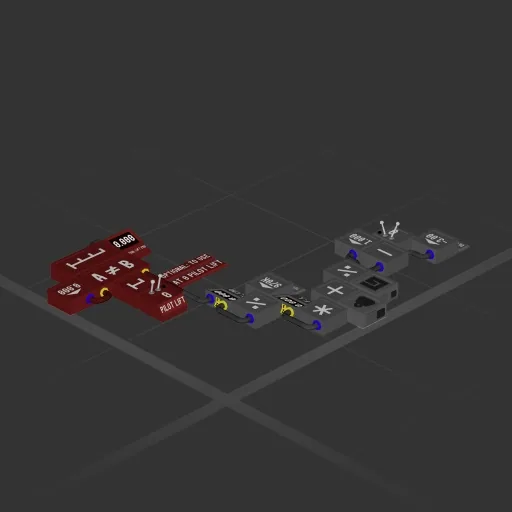
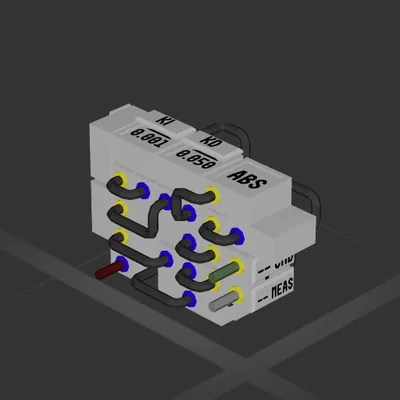
PIDs are cool, but this sets a descent rate in half the blocks and without any tuning per planet. It's also smooth off the bat.
Usage:
-Calculate the total available thrust from your lift fans/thrusters that are installed (can be seen on the inventory screen), and plug it into the single constant box next to F_L.
-Plug in your vertical speed sensor (velocity meter or differentiated altimeter)
-Plug in to the thruster controls and a constant box to set your descent rate
The red section is optional to make the commands go through only when there is no other input for lift.
How to install this ship
Download the ZIP.Every download contains two files with matching names — a .bp and a .bpmeta. You need both: the .bp is the ship, the .bpmeta holds its name. A .bp on its own will not appear in the game.
Unzip into the Blueprints folder.Paste %USERPROFILE%\AppData\LocalLow\ApproximatelyGames\ApproximatelyUp\Blueprints into Explorer's address bar and drop both files there. Keep their filenames exactly as they are — the game pairs them by name.
Restart and open the blueprint menu.The game reads the folder on startup, so restart it. Open the blueprint menu, find the ship by its name and load it. Test it next to a garage before flying a mission.
 387 ↓
387 ↓