Ultimate PID Any Gravity, Easy Tune, Infinite Range
System
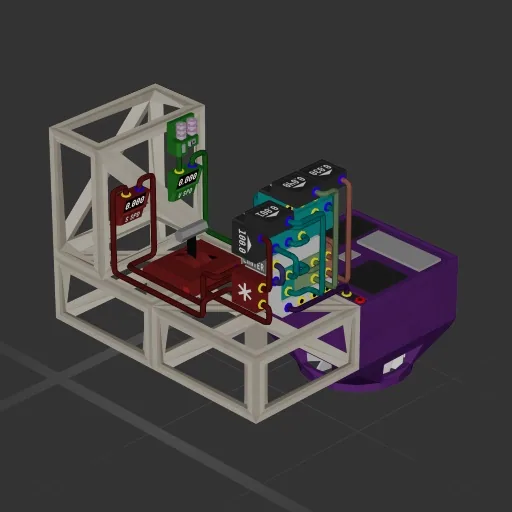
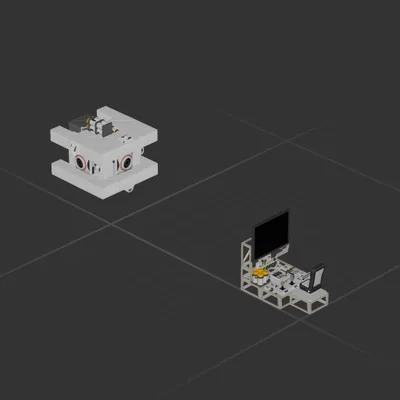
Credits: This is a condensed version of Strelok's AutoHover PID (with anti-windup) system, made in the stylistic design of Taddsworth's Compact PID system, both found in the Workshop. If you like this blueprint, then give them a thumbs up as well! --- This compact auto-hover PID (Proportional-Integral-Derivative) system (with anti-windup) achieves easy auto-hovering on any planet! This component is copy-paste ready, but needs to be tuned correctly on a per-ship and per-planet basis for functionality. This blueprint is not a flyable craft. The example wiring is color-coded to showcase what peripheral each output should be plugged into. Simply paste the PID tower into your ship, wire it accordingly per the examples, then delete or recycle the rest. There are 4 constant variables (the labeled black boxes) that you'll need to tune per-ship and per-planet for maximum efficiency, and I will paraphrase Taddsworth's explanations because I am not smart: KP: Proportional - Slowly raise this value until it can catch your ship out of freefall — when your CMD (the lever in the blueprint) is set to 0 while falling. Too high of a value will cause large oscillations. KD: Derivative - Slowly raise this value to reduce the magnitude of oscillations until you can reach 0 V SPD smoothly in the previous freefalling conditions. KI: Integral - Slowly raise this value to increase the accuracy of your CMD output vs your actual velocity. Limiter: This 1-100 value offsets your CMD setting to limit your thrusters' maximum output. A value of 100 is full effectiveness, while anything lower will induce throttling. This is useful on planets with low atmospheres, where default thruster settings may easily push you out of the atmosphere.
System
System
System
System