AU Ships

Lance of Longinus

Workshop author: The Last Virgin · Steam ↗
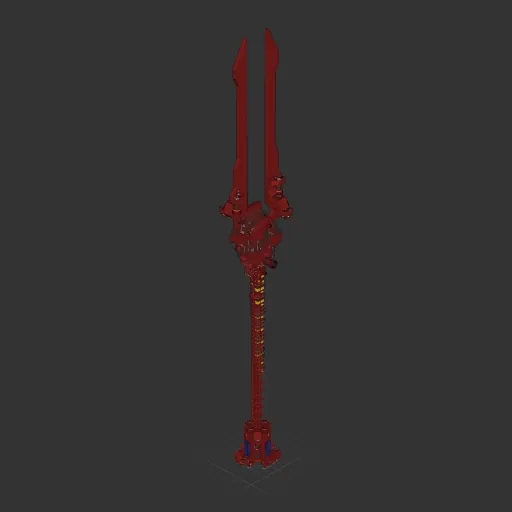
Cruiser Complete ship Large

Lance of Longinus

Specifications

2,908 Parts
71 Part types
27 Engines
2,308 Cable cells
324 Frames
276 Equipment parts

Engine mix

  • Lift fans10
  • Electric thrusters5
  • Maneuvering12

Equipment

  • Cockpit seat 1
  • Solar panels 4
  • Batteries 18
  • Logic circuits 37
  • Wireless links 30
  • Screens & cameras 3
  • Radar 1

Most used parts

  • Data Cable 1,184
  • Power Cable 1,124
  • Frame Quarter With Ports 114
  • Frame Half 54
  • Frame Full 48
  • Wireless Transmitter 30
  • Frame Quarter With Ports Corner 28
  • Frame Half Curved 1 21

Author's description

The Spear of Longinus, the Spear of Destiny, or the Holy Spear, is the lance that pierced the side of Jesus as he hung on the cross during his crucifixion. **Should be landed verically** **Unable to carry medium sized packages** # Specs * Can thrust in four directions * Fast rotation overall * Very compact pilot room * 196000P Battery * Speed and distance monitor for 3 directions: front, back and down * lights for whole front 180 degs * Camera for back and down * The pilot room can almost see through in every direction * Auto landing with Fan (85~90 degs, <100 vel with air) # Notes * Easy to aim at destination planet visually * Thrusting forward and backwards are both fast, but up (LIFT+) and down (LIFT-) is slow. * Remember to flip it as close as 90 degs when landing * When rotated 90 degs, use "LIFT" to adjust landing position precisely * Do not land on places with strong wind, it will be blown away, hover it instead. * For hovering, flip it vertically (85~90 degs), enable auto landing, then set thrust to positive 1~5 depend on gravity.

How to install this ship

  1. Download the ZIP. Every download contains two files with matching names — a .bp and a .bpmeta. You need both: the .bp is the ship, the .bpmeta holds its name. A .bp on its own will not appear in the game.
  2. Unzip into the Blueprints folder. Paste %USERPROFILE%\AppData\LocalLow\ApproximatelyGames\ApproximatelyUp\Blueprints into Explorer's address bar and drop both files there. Keep their filenames exactly as they are — the game pairs them by name.
  3. Restart and open the blueprint menu. The game reads the folder on startup, so restart it. Open the blueprint menu, find the ship by its name and load it. Test it next to a garage before flying a mission.

Similar ships

Trident
Trident 161 ↓

Trident

Debbie Thornberry

3,122 parts Large

Cruiser

The Orca
The Orca

The Orca

CoronaKid

3,507 parts Large

Cruiser