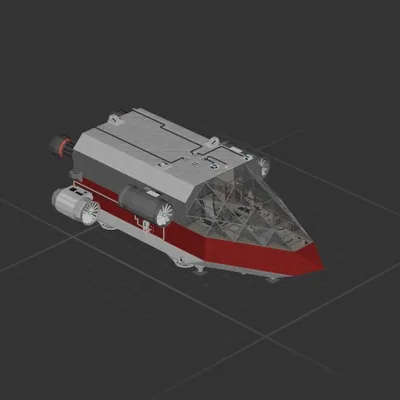
*Full MK4 update at bottom*
*Previous MK3 and MK3.5 uploaded separately*
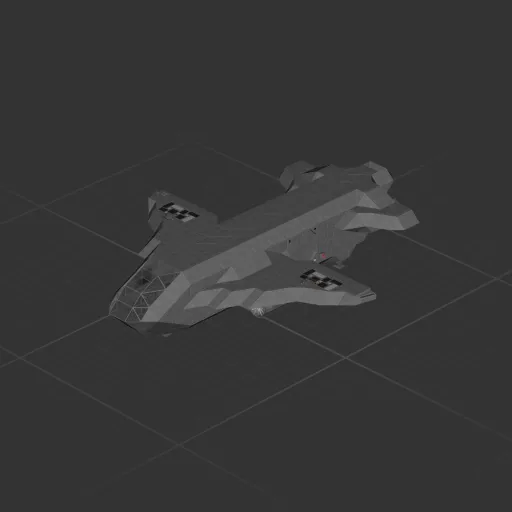
Small simple and reliable 2 seater capable of a variety of mission types. A fairly blank slate to customise as you wish. Has space to add a few extra seats or haul some cargo. Intended to be used as a shuttle/exploratory ship for a larger vessel (if I can make that work).
Backup and landing cameras on screen in cockpit. Fair amount of battery but if more range is required add some solar panels and rechargeables.
If you don't need the aquatic capability you can swap to electric thrusters easily for more thrust as well as working VTOL in vacuum.
MK4 Update:
1. Upgraded RCS
2. Improved VTOL
3. Improvements to wiring
4. Slightly longer mid section and some other hull changes to accommodate upgrades
I am planning on more MK4 improvements but, other than a possible cockpit refit, they will likely be fairly minor. I'm now working on a larger class ship. The Peregrines big brother so to speak.
How to install this ship
Download the ZIP.Every download contains two files with matching names — a .bp and a .bpmeta. You need both: the .bp is the ship, the .bpmeta holds its name. A .bp on its own will not appear in the game.
Unzip into the Blueprints folder.Paste %USERPROFILE%\AppData\LocalLow\ApproximatelyGames\ApproximatelyUp\Blueprints into Explorer's address bar and drop both files there. Keep their filenames exactly as they are — the game pairs them by name.
Restart and open the blueprint menu.The game reads the folder on startup, so restart it. Open the blueprint menu, find the ship by its name and load it. Test it next to a garage before flying a mission.